Drupal developers often need to apply patches to contrib modules before fixes are officially released. Whether you're working around a bug or testing a new feature, Composer makes it possible to apply patches cleanly and automatically during builds.
In this guide, you'll learn how to apply a patch to a Drupal 11 contrib module using Composer on a site like example.com, following best practices that keep your codebase stable and maintainable.
Step 1: Install the Composer Patches Plugin from the Project Root
To apply patches through Composer, you need the cweagans/composer-patches plugin. It allows you to define patches in your composer.json file that are automatically applied during installs and updates.
Where to Run the Command
You must run all Composer commands from your project root, which is where your composer.json file is located. For a typical Drupal setup, it might be something like:
/var/www/example.com/
This root directory should include:
composer.jsoncomposer.lockvendor/web/orpublic_html/
✅ Do not run Composer commands from subdirectories like
web/orvendor/— always run them from the root of your Drupal project.
Install the Plugin
In your terminal, navigate to the root directory and run:
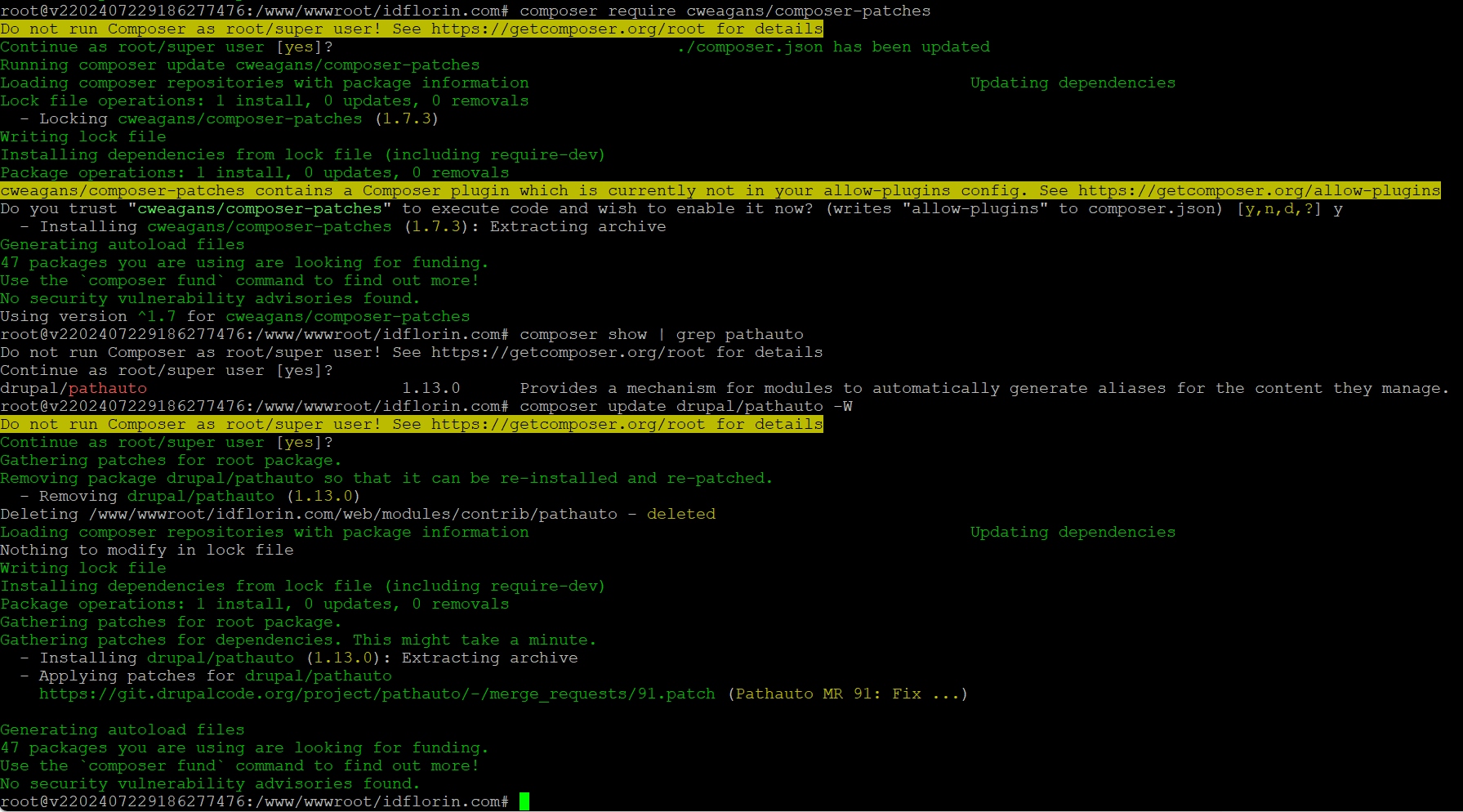
composer require cweagans/composer-patchesIf prompted, confirm plugin permissions — this is normal when running Composer as root or in secure environments.
Step 2: Add the Patch to composer.json
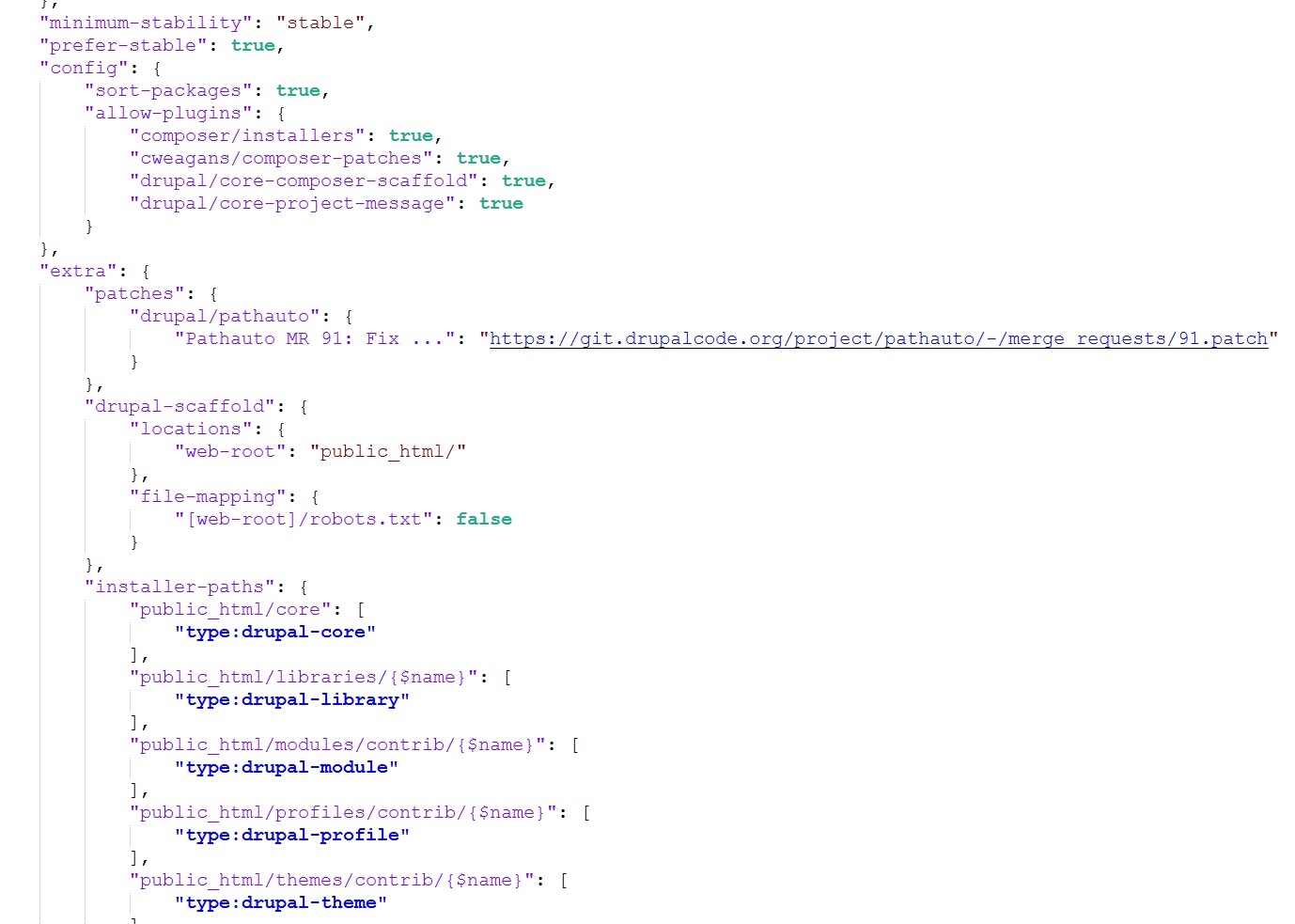
Once the plugin is installed, add the patch definition to the "extra" section of your composer.json.
Here's a generic example:
"patches": {
  "drupal/example_module": {
    "Fix issue with example_module feature": "https://www.drupal.org/files/issues/2025-08-08/example_module-bugfix-123456-78.patch"
  }
}
In this example:
drupal/example_moduleis the Composer package name of the module you're patching.- The description (
"Fix issue with...") is just a label. - The URL points to the raw
.patchfile — this could be from Drupal.org, GitLab, or any public location.
💡 Confirm the module's Composer package name with:
composer show | grep example_module
Step 3: Apply the Patch Using Composer
To apply the patch, you need to trigger Composer to reinstall or update the module. You can do this safely with:
composer update drupal/example_module -WThe -W flag (--with-all-dependencies) ensures that Composer considers top-level packages like your Drupal module and applies any configured patches.
!!!Tip
If composer update drupal/example_module -W does not work, try
composer remove drupal/example_module
composer require drupal/example_module
Step 4: Verify the Patch Was Applied
After the update, confirm the patch was successfully applied by:
- Opening the relevant module file inside
web/modules/contrib/example_module(orpublic_html/modules/contrib/...) to check if the changes from the patch are present. - Running:
drush cr
(if you're using Drush) to clear the Drupal cache and make sure the system recognizes the update.
- Testing the fixed behavior or reviewing the logs.
Bonus Tips for Managing Patches in Composer
- Keep patches well-documented in
composer.json, with links to the source issue. - Test thoroughly before deploying patched code to production.
- Track upstream issues and remove patches when the fix is included in an official release.
- Version control your
composer.jsonandcomposer.lockfiles to maintain reproducibility across environments.
Final Thoughts
Applying a patch to a Drupal 11 module using Composer is a best practice that avoids hacking contrib code and ensures compatibility with future updates. On a site like example.com, it only takes a few lines in composer.json and one Composer command to safely bring in a community fix or feature.
Use patches wisely, test thoroughly, and monitor upstream issues — and your Drupal project will stay both modern and maintainable.
SEO Keywords (for internal use only, do not include in article body):
drupal 11 apply patch composer, drupal composer-patches example, apply patch to drupal module, drupal patch composer best practices, how to apply patch drupal.org, composer patch drupal 11 module, patch contrib module drupal